 |
Morse Micro IoT SDK
2.13.1
|
|
Morse Micro IoT SDK
2.13.1
|
The Morse Micro IoT SDK provides out-of-the-box support for a variety of reference platforms.
This uses the STM32U585VIT6Q MCU as the host processor on a development board produced by Morse Micro.
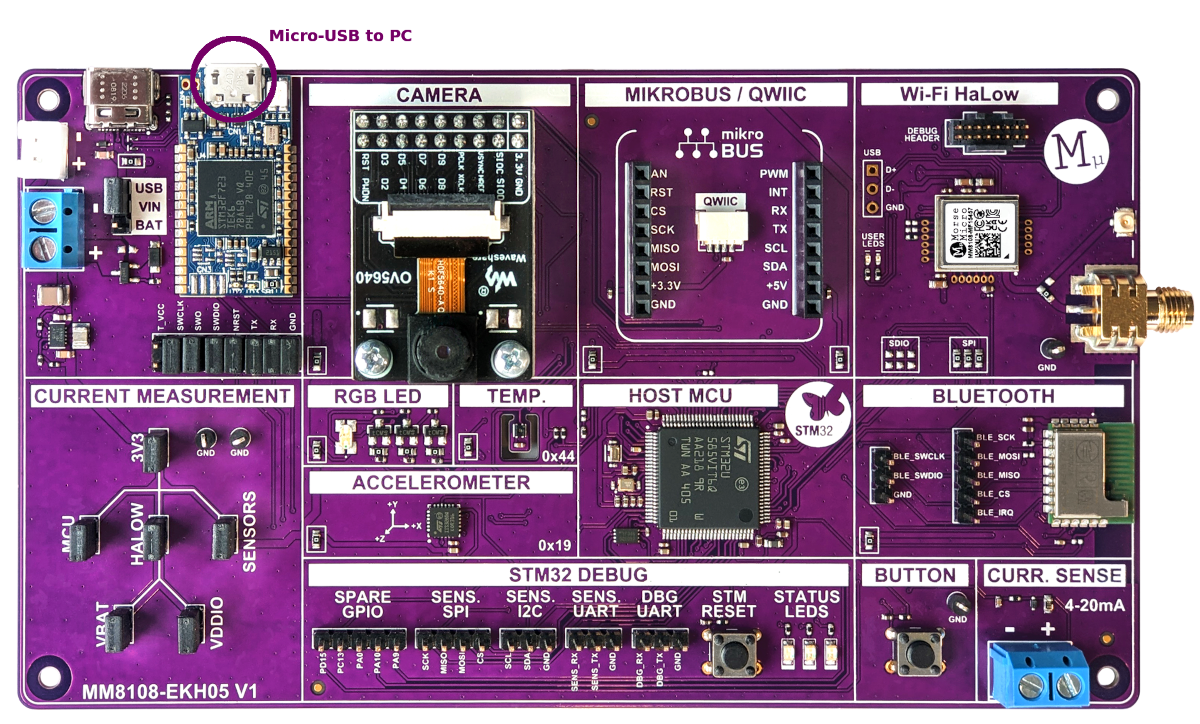
This uses the STM32 NUCLEO-WB55RG as the host MCU development board paired with a Morse Micro MM8108-EKH08 (MMECH18) daughterboard.
The assembled boards are connected to the PC by the micro-USB connector CN15 on the Nucleo. This will provide power and debug connectivity to the platform.
Optionally power can be supplied via the USB-C connector on the MMECH18 instead. In most cases this should not be necessary, but may be necessary if the USB port is not able to supply sufficient power. Note that if power is supplied via the USB-C connector then JP1 on the Nucleo must be removed. The Nucleo must still be connected to the PC via micro-USB connector CN15 in order to use the debug interface.
This uses the STM32U585VIT6Q MCU as the host processor on a development board produced by Morse Micro.
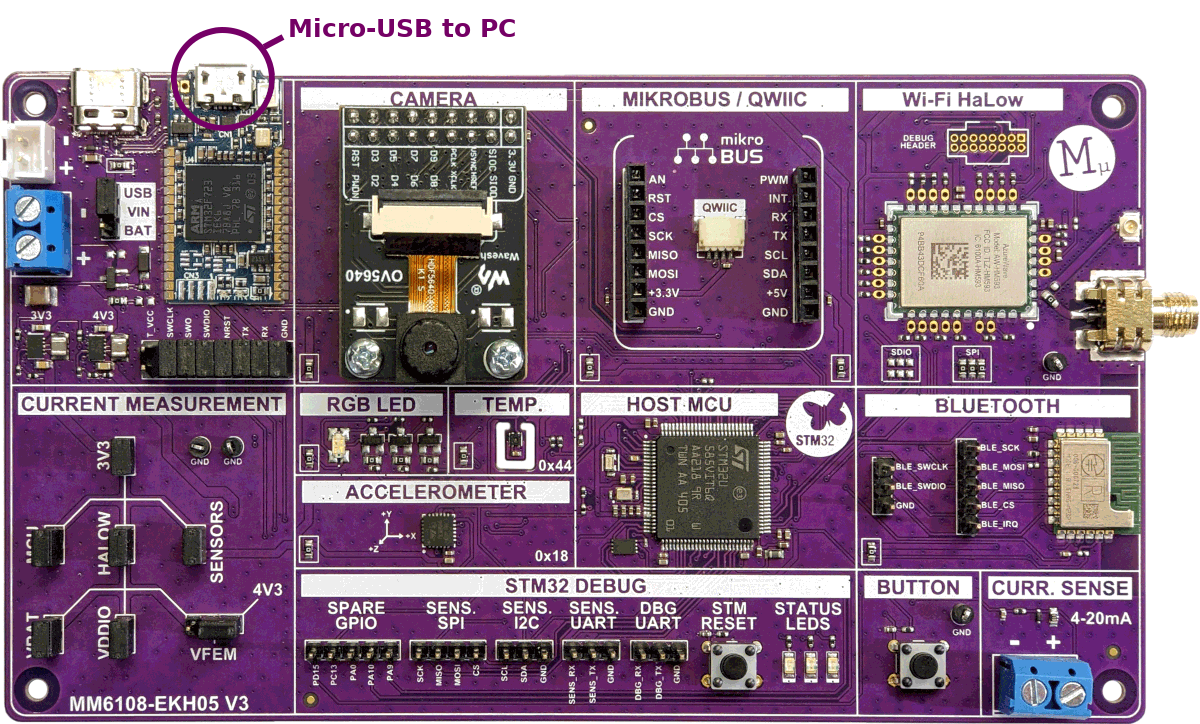
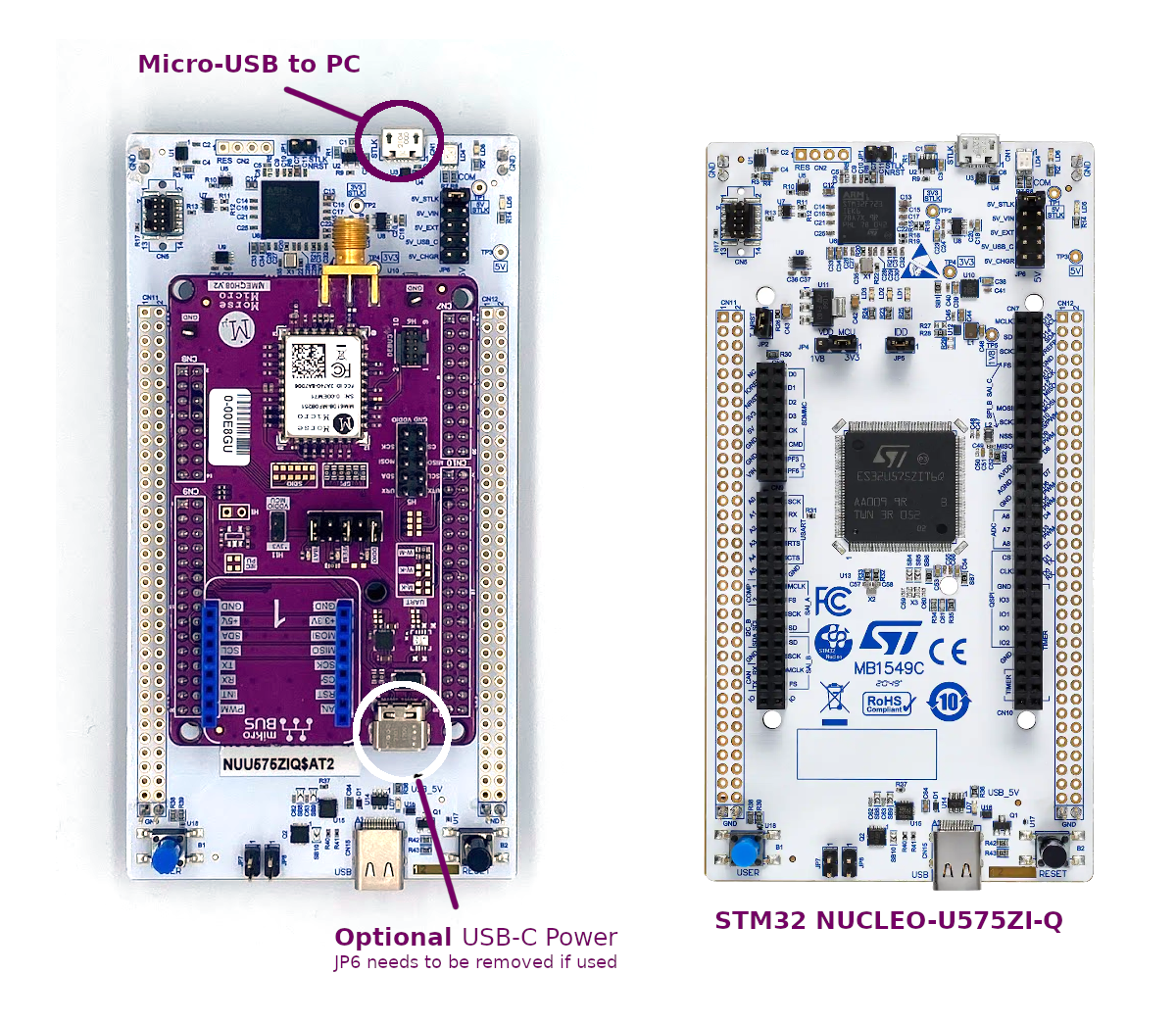
This uses the STM32 NUCLEO-U575ZI-Q as the host MCU development board paired with a Morse Micro MM6108-EKH08 (MMECH08) daughterboard.
The two boards connect together as shown in the photo below. This is connected to the PC by the micro-USB connector CN1 on the Nucleo, as highlighted below. This will provide power and debug connectivity to the platform.
Optionally power can be supplied via the USB-C connector on the MMECH08 instead. In most cases this should not be necessary, but may be necessary if the USB port is not able to supply sufficient power. Note that if power is supplied via the USB-C connector then JP6 on the Nucleo must be removed. The Nucleo must still be connected to the PC via micro-USB connector CN1 in order to use the debug interface.
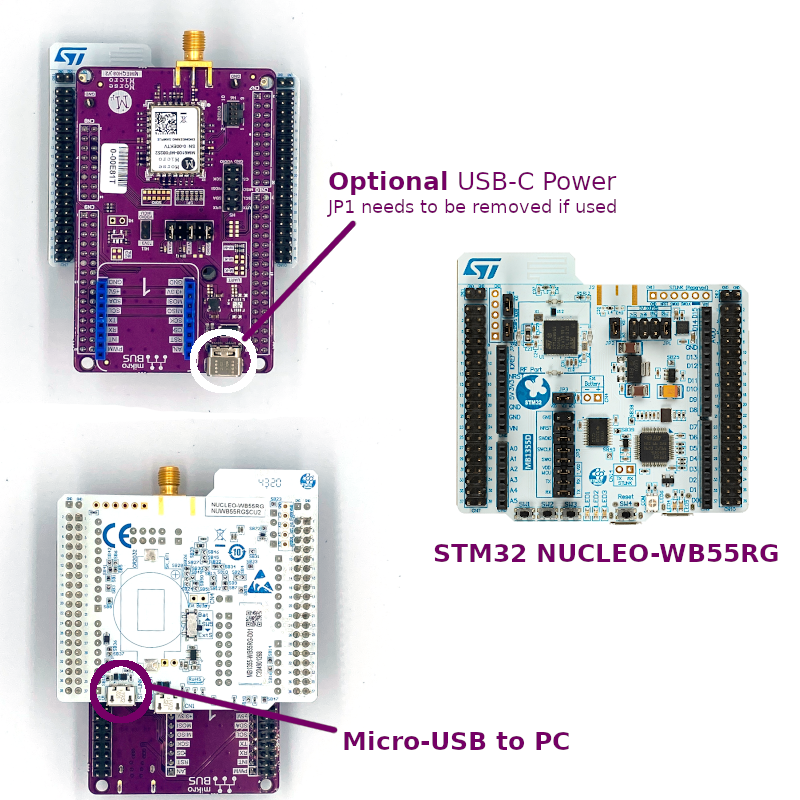
This uses the STM32 NUCLEO-WB55RG as the host MCU development board paired with a Morse Micro MM6108-EKH08 (MMECH08) daughterboard.
The two boards connect together as shown in the photo below. This is connected to the PC by the micro-USB connector CN15 on the Nucleo, as highlighted below. This will provide power and debug connectivity to the platform.
Optionally power can be supplied via the USB-C connector on the MMECH08 instead. In most cases this should not be necessary, but may be necessary if the USB port is not able to supply sufficient power. Note that if power is supplied via the USB-C connector then JP1 on the Nucleo must be removed. The Nucleo must still be connected to the PC via micro-USB connector CN15 in order to use the debug interface.
This uses the STM32 NUCLEO-H753ZI as the host MCU development board paired with a Morse Micro MM6108-EKH08 (MMECH08) daughterboard.